
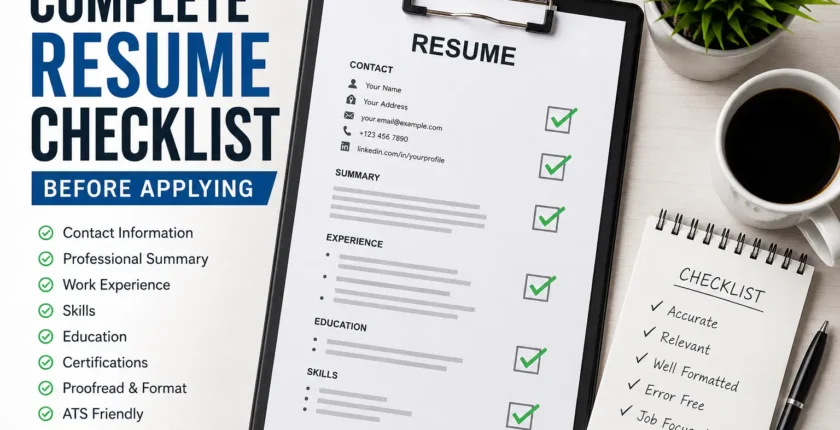
Complete Resume Checklist Before Applying for a Job
Introduction
Before submitting a job application, your resume should be more than just complete; it should be accurate, professional, easy to read, and tailored to the position. A small mistake, outdated information, or poorly written section can reduce your chances of getting shortlisted.
Use this complete resume checklist before applying for any job to make sure your CV is ready for recruiters and applicant tracking systems (ATS).
1. Check Your Contact Information
Your contact details should be accurate and easy to find at the top of your resume.
- Full name is clearly displayed
- A professional phone number is included
- A professional email address is provided
- Current city and country are mentioned
- LinkedIn profile is included if relevant
- A portfolio or professional website is included when applicable
- All links work correctly
Avoid using unprofessional email addresses. Ideally, use an email containing your name, such as yourname@gmail.com.
2. Review Your Professional Summary
Your professional summary should quickly explain who you are, what you do, and what value you can bring to an employer.
- The summary is 2–4 sentences long
- Job title or professional area is clear
- Relevant experience is mentioned
- Important skills are included naturally
- The summary is customized for the position
- No unnecessary personal information is included
For example, instead of writing:
“I am looking for a challenging job where I can improve my skills.”
Use a more specific approach:
“Detail-oriented Software Quality Assurance professional with experience in manual testing, test case development, bug reporting, and API testing, seeking to contribute to a quality-focused software team.”
3. Check Your Work Experience
Your experience section is one of the most important parts of your resume.
- Job titles are accurate
- Company names are correct
- Employment dates are consistent
- The most recent position appears first
- Responsibilities are relevant to the target job
- Achievements are included where possible
- Bullet points begin with strong action verbs
- No unexplained employment dates contain obvious errors
Instead of simply listing duties, focus on results. You should also review our guide on Common CV Mistakes That Cost You Interviews before submitting your application.
Weak:
“Responsible for testing websites.”
Better:
“Performed functional and regression testing to identify defects and improve website reliability before release.”
4. Make Sure Your Resume Matches the Job Description
One of the most important steps before applying is comparing your resume with the job advertisement.
Look carefully at the job description and identify:
- Required qualifications
- Technical skills
- Soft skills
- Years of experience
- Software or tools
- Industry-specific keywords
- Education requirements
- Certifications
Then make sure your resume honestly reflects the qualifications you actually have.
Do not copy the entire job description into your resume. Instead, naturally include relevant keywords in your summary, skills, and experience sections.
5. Review Your Skills Section
Your skills section should focus on abilities relevant to the position.
- Technical skills are accurate
- Soft skills are relevant
- Skills match your actual experience
- Important job-specific keywords are included
- Outdated or irrelevant skills are removed
- Skill levels are not exaggerated
For example, a software testing resume might include skills such as
- Manual Testing
- Test Case Writing
- Bug Reporting
- Regression Testing
- API Testing
- SQL
- Jira
- Database Testing
- SDLC
- STLC
Only include skills you can confidently discuss during an interview. Learn what recruiters look for in a CV to make sure your most valuable skills and qualifications are clearly presented.
6. Check Your Education
Your education section should be clear and consistent.
- Degree name is correct
- Institution name is correct
- Graduation year is accurate
- Relevant academic achievements are included when useful
- Recent or relevant education is prioritized
If you are a recent graduate with limited work experience, you can provide slightly more detail about relevant coursework, projects, or academic achievements.
7. Add Relevant Certifications
Certifications can strengthen a resume, particularly for technical and professional positions.
Before applying:
- Certification names are spelled correctly
- Issuing organizations are correct
- Dates are accurate
- Expired certifications are identified
- Only relevant certifications are included
Do not add certifications you have not actually earned.
8. Check Your Resume for ATS Compatibility
Many companies use Applicant Tracking Systems (ATS) to organize and filter applications.
To make your resume more ATS-friendly:
- Use standard section headings
- Use simple formatting
- Include relevant keywords
- Avoid excessive graphics
- Avoid complicated tables
- Avoid text inside images
- Use readable fonts
- Keep important information in the main document text
Common headings such as Professional Summary, Work Experience, Education, Skills, and Certifications are usually easier for recruitment software to understand.
9. Proofread for Grammar and Spelling
A single spelling mistake may make your application look careless.
Check carefully for:
- Spelling mistakes
- Grammar errors
- Incorrect punctuation
- Inconsistent capitalization
- Incorrect company names
- Incorrect job titles
- Incorrect dates
- Extra spaces
- Broken sentences
Read your resume slowly from beginning to end. You can also use a grammar-checking tool, but always review the suggestions yourself.
10. Check Your Resume Formatting
Your resume should look professional without being overly complicated.
- Font is easy to read
- Font size is consistent
- Headings are clearly separated
- Margins are reasonable
- Bullet points are consistent
- Line spacing is comfortable
- There is enough white space
- Sections follow a logical order
Avoid using too many colors, decorative graphics, unusual fonts, or excessive design elements unless the position specifically calls for a creative portfolio. You can also explore professional CV resources to understand common CV formats and presentation standards.
11. Keep Your Resume Length Appropriate
Your resume should contain enough information to demonstrate your qualifications without becoming unnecessarily long.
For many entry-level candidates, one page can be sufficient. Candidates with several years of relevant experience may need two pages.
The key is relevance. Remove information that does not help demonstrate why you are suitable for the position.
12. Remove Unnecessary Information
Before submitting your application, look for information that does not contribute to your candidacy.
Consider removing:
- Irrelevant hobbies
- Very old or unrelated jobs
- Excessive personal information
- Unnecessary references
- Generic career objectives
- Repetitive skills
- Outdated software knowledge
Your resume should focus on information that helps the employer evaluate your suitability for the job.
13. Verify Your Achievements and Numbers
If you include statistics, make sure they are accurate.
For example:
- Increased website traffic by 30%
- Reduced testing errors by 20%
- Managed 50+ client accounts
- Completed 100+ test cases
Only include measurable achievements that you can support or explain during an interview.
Never invent achievements simply to make your resume look stronger.
14. Check Your LinkedIn Profile
If your resume includes a LinkedIn profile, make sure the information is consistent.
- Name matches your resume
- Job titles are consistent
- Employment dates are accurate
- Skills are relevant
- Profile picture is professional
- LinkedIn URL works
- The profile reflects your current career direction
Recruiters may review your LinkedIn profile after receiving your application, so make sure your information is professional and consistent with your resume.
15. Use the Correct File Format
Unless the employer specifically requests another format, PDF is often a practical choice because it helps preserve your formatting.
Before sending:
- File opens correctly
- Formatting has not changed
- Links work
- No blank pages appear
- File name looks professional
- The correct version of your resume is attached
A professional filename could be
Muhammad_Saqib_Resume.pdf
Avoid names such as
resume_final_new_latest2.pdf
16. Check Your Resume File Before Uploading
Never upload your resume immediately after editing it.
Open the final file and check it as if you were the recruiter.
Look at:
- First page
- Contact information
- Professional summary
- Work experience
- Education
- Skills
- Spacing
- Page breaks
- Footer and header
- File name
Make sure nothing has been accidentally cut off.
17. Tailor Your Resume for Every Important Application
A generic resume may not perform as well as a targeted one.
For each important job application:
- Read the job description carefully.
- Identify the most important requirements.
- Highlight your matching experience.
- Adjust your professional summary.
- Reorder relevant skills.
- Add appropriate keywords.
- Remove unnecessary information.
- Proofread the final version.
You do not need to completely rewrite your resume every time. Small, relevant adjustments can make a significant difference.
18. Final Resume Checklist
Before clicking Apply, go through this final checklist:
- Contact information is correct
- Email address is professional
- LinkedIn URL works
- The professional summary is relevant
- The resume is tailored to the job
- Work experience is accurate
- Achievements are included where appropriate
- Skills match the position
- Education details are correct
- Certifications are accurate
- Keywords from the job description are naturally included
- The resume is ATS-friendly
- Grammar and spelling have been checked
- Formatting is consistent
- Resume length is appropriate
- Unnecessary information has been removed
- File opens correctly
- File name is professional
- The final version has been reviewed
- The correct resume has been uploaded
Conclusion
A strong resume is not only about having good qualifications. How you present those qualifications can determine whether a recruiter notices your application.
Before applying for a job, take a few minutes to review your resume using this complete checklist. Make sure your information is accurate, your skills match the position, your keywords are relevant, and your document is easy to read. Once your resume is ready, make sure you are also prepared for common interview questions. Our guide on How to Answer “Tell Me About Yourself” can help you prepare for one of the most common interview questions.
Most importantly, tailor your resume to the job instead of sending the exact same version to every employer. A well-prepared and targeted resume can improve your chances of getting noticed and moving forward to the interview stage.
If you’re actively searching for opportunities, combine a strong resume with a professional LinkedIn profile, relevant skills, and consistent applications to build a more effective job search strategy.